

**Title: A Comprehensive Guide to Backing Up Your imToken Wallet**
—
**Introduction**
In the rapidly evolving world of cryptocurrencies, securing one’s digital assets is paramount. With numerous wallet options available, imToken stands out for its user-friendly interface and robust security features. This article delves into the intricate details of backing up an imToken wallet, ensuring that users can safeguard their assets against unforeseen circumstances. We’ll explore the importance of backup, the step-by-step process, best practices, and advanced considerations.
—
**Understanding imToken Wallet**
Before discussing backup procedures, it’s essential to understand what an imToken wallet is. imToken is a widely used digital wallet designed for managing cryptocurrencies like Bitcoin, Ethereum, and other ERC-20 tokens. It provides users with a secure platform to store, send, receive, and manage digital assets, catering to both beginners and experienced users.
**The Importance of Wallet Backup**
1. **Data Security:** Cryptocurrencies are stored in wallets, and losing access means losing your funds. A backup ensures that even if your device is lost, stolen, or damaged, you can still access your assets.
2. **Protection Against Hacks:** While imToken is secure, hacking attempts are a reality. A backup can be the difference between a disaster and a simple restoration.
3. **Peace of Mind:** Knowing your assets are backed up safely provides peace of mind, especially in the volatile world of crypto trading.
—
**Step-by-Step Guide to Backing Up an imToken Wallet**
**Step 1: Setting Up Your imToken Wallet**
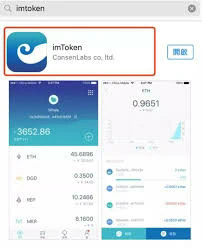
Before backup, ensure your wallet is correctly set up. Download the imToken app from a trusted source such as the Apple App Store or Google Play Store. Follow the on-screen instructions to create a new wallet.
**Step 2: Secure Your Recovery Phrase**
When you create a wallet, imToken provides a recovery phrase. This is a sequence of random words that acts as a master key to your wallet:
– **Write Down the Phrase:** Use a physical medium like paper to write down the recovery phrase. Avoid digital storage as it could be vulnerable to hacking.
– **Safe Storage:** Store the written phrase in a secure location, such as a safe or safety deposit box. Consider multiple copies in different secure locations.
**Step 3: Encrypt Your Recovery Phrase**
Consider encrypting your recovery phrase for added security. You can use manual encryption techniques by substituting letters or numbers, or dedicated software tools designed for encryption.
**Step 4: Test Your Recovery Phrase**
Before considering the backup complete, test the recovery phrase:
– Use the app to log out and attempt wallet recovery with your phrase to ensure it is correct.
– Confirm that all data restoration processes work seamlessly.
**Step 5: Regular Updates**
As with any technology, imToken updates its software frequently to patch vulnerabilities and improve functionality. Regularly update your app to the latest version to ensure your backup remains compatible.
—
**Advanced Backup Considerations**
**Cloud Storage and Digital Safety**
Storing backups digitally can be convenient but requires stringent security measures:
– Use encrypted cloud storage like Google Drive with two-factor authentication.
– Secure cloud accounts with strong, unique passwords and regular password updates.
**Hardware Wallet Integration**
Consider integrating imToken with a hardware wallet such as Ledger or Trezor:
– Hardware wallets provide physical backups and additional layers of security.
– These devices store private keys offline, reducing exposure to online threats.
**Multi-Signature Wallets**
For advanced security, consider multi-signature wallets. These require multiple keys to authorize a transaction, reducing risk:
– Set up multi-signature protocols via imToken settings.
– Collaborate with trusted partners to manage these wallets.
—
**Best Practices for Wallet Backup**
– **Regular Backup Checks:** Regularly verify that your recovery phrase is intact and accessible.
– **Educate Yourself:** Continuously educate yourself on crypto wallet security and best practices.
– **Backup Diversity:** Combine physical, digital, and hardware backups to diversify potential failure points.
—
**Risks and Challenges**
Despite robust security measures, backups face challenges:
– **Storage Theft:** Physical backups can be stolen if not secured.
– **Data Corruption:** Digital backups can be corrupted, stressing the importance of encryption and redundancy.
– **Human Error:** Mistakes in writing down and storing recovery phrases can lead to irreversible loss.
—
**Conclusion**
Backing up an imToken wallet is not just a technical task but an essential strategy to secure one’s digital assets. By understanding the importance of wallet backups and applying best practices, users can minimize risks and ensure the longevity of their crypto investments. Whether through physical safekeeping or leveraging advanced technologies like multi-signature and hardware wallets, a comprehensive backup strategy is vital for any cryptocurrency enthusiast navigating the digital finance landscape.


