

# How to Use the Account Recovery Function of imToken: A Comprehensive Guide
## Introduction
In the rapidly evolving world of cryptocurrencies, safeguarding your digital assets is of utmost importance. Among various crypto wallet applications available today, imToken stands out as a reliable and user-friendly option. It offers a plethora of features aimed at ensuring the security and accessibility of your digital funds. One of the key features of imToken is the account recovery function, which acts as a safety net in case users lose access to their wallets. This article delves into the intricate details of using the account recovery function in imToken, offering a thorough understanding of how it works and why it’s crucial for every user.
## What is imToken?
imToken is a popular cryptocurrency wallet that enables users to store, manage, and exchange various digital currencies efficiently. As an all-in-one wallet solution, imToken supports a wide range of cryptocurrencies, including Bitcoin, Ethereum, and numerous ERC-20 tokens. The wallet is known for its intuitive interface, robust security measures, and user-centric features that enhance the overall crypto experience. imToken is designed to cater to both novice and experienced crypto enthusiasts, providing comprehensive tools for managing digital assets securely.
## The Importance of Account Recovery
Before diving into the technicalities of how to use the account recovery function, it’s crucial to understand why account recovery is important. In the realm of cryptocurrencies, once you lose access to your wallet, you effectively lose access to your funds. Unlike traditional banking systems, there’s no central authority that can help you regain access based solely on identification. Therefore, robust account recovery mechanisms are essential to prevent loss of access due to forgotten passwords, lost devices, or accidental data deletion.
## Account Recovery in imToken: Key Features
The account recovery function in imToken is fundamentally built around two key components:
1. **Mnemonic Phrase (Backup Phrase)**: When creating a wallet on imToken, users are provided a mnemonic phrase, which is a sequence of 12 to 24 random words. This phrase is the master key to your wallet, allowing you to restore access in case of device loss or software failure.
2. **Private Key**: Each wallet account has an associated private key. While it’s less commonly used for everyday recovery due to its complexity, it serves as a fundamental method for accessing your wallet on any platform that supports manual input of private keys.
## How to Use the Account Recovery Function
### Step 1: Understanding Mnemonic Phrase
The mnemonic phrase is the cornerstone of imToken’s account recovery feature. Here’s how to effectively harness its power:
– **Secure Storage**: Once you receive your mnemonic phrase during wallet creation, store it securely. You should write it down on paper or use a trusted password manager. Avoid digital storage methods, such as screenshots or text files, which are susceptible to hacks and accidental deletion.
– **Be Mindful of Privacy**: Ensure that only you have access to your mnemonic phrase. Sharing your mnemonic phrase with others compromises the security of your funds, as anyone with access can restore your wallet anywhere.
### Step 2: Restoring Your Wallet with Mnemonic Phrase
If you’ve lost access to your wallet:
1. **Open imToken Application**: Start by opening the imToken app on a new device or after reinstalling the app.
2. **Select Import Wallet**: On the login screen, select the option for ‘Import Wallet.’
3. **Enter Mnemonic Phrase**: You will be prompted to enter your mnemonic phrase. Carefully input the sequence of words in the correct order.
4. **Confirm the Import**: Follow any additional instructions to complete the import process. Once confirmed, your wallet will be fully restored with access to all funds and transaction history.
### Step 3: Using Private Key for Recovery
Occasionally, a user might opt for recovering their wallet using a private key. Here’s how you can do it:
1. **Find Private Key**: Make sure you have access to your wallet’s private key, which would have been provided to you upon wallet creation or exported later.
2. **Open imToken Application**: Launch the imToken app and go to the wallet import section.
3. **Select Private Key Option**: Choose to import your wallet using a private key.
4. **Enter Private Key**: Input your private key accurately and proceed with the import process.
5. **Complete Import**: Follow any additional prompts to finish restoring access.
## Best Practices for Account Recovery
To maximize the effectiveness of the account recovery function, consider these best practices:
– **Regularly Backup Your Mnemonic Phrase and Private Key**: Any updates or changes in your wallet settings may influence account access credentials. Backup regularly to accommodate these changes.
– **Use Password Managers**: If you decide to store your mnemonic phrase or private key digitally, use reputable password managers to encrypt and secure the information.
– **Stay Updated**: imToken periodically updates its security features and interfaces. Stay informed by visiting their official website and community forums for best practices and new updates.
– **Educate Yourself**: Understanding the basic principles of cryptocurrency security helps mitigate risks. Familiarize yourself with imToken’s documentation and security guidelines.
## Troubleshooting Account Recovery Issues
Despite the robustness of imToken’s account recovery function, users may face occasional issues during the recovery process. Here’s how to troubleshoot common problems:
– **Incorrect Mnemonic Phrase**: Ensure no typos and proper sequence. Double-check against your physical or encrypted records.
– **Private Key Error**: Make sure you’re entering the private key correctly without extra spaces or missing characters.
– **Application Issues**: Ensure your app version is updated. Contact support if technical glitches persist.
## Security Implications and Considerations
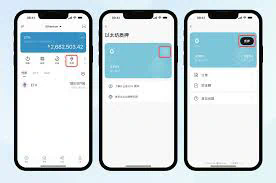
The security of your imToken wallet is intrinsically linked to how well you manage your mnemonic phrase and private key. Consider these implications:
– **Vulnerability to Hacks**: Any digital storage method poses a potential risk. Opt for physical backups whenever feasible.
– **Risk of Loss**: Misplacement or physical damage to your mnemonic phrase can result in irreversible loss, emphasizing the importance of redundant backups.
– **Verification and Trust**: Before initiating transactions post-recovery, verify wallet integrity to ensure no unauthorized modifications during the recovery process.
## Conclusion
The account recovery function of imToken is a powerful tool, essential for managing and safeguarding your digital assets effectively. By understanding its intricacies and following best practices outlined in this article, you can ensure uninterrupted access to your cryptocurrency holdings. With the right precautionary measures and knowledge, imToken’s recovery feature can serve as a reliable pillar of your crypto security strategy. Always prioritize the security of your mnemonic phrase and private key, as these are the linchpins of accessing and maintaining control over your digital assets.


